 ZenWrit
Should You Put Your LinkedIn on Your Resume? The Honest Answer
Recruiters will look you up whether you invite them or not. Here is when a LinkedIn link on your resume helps, when to leave it off, and exactly how to format it so it survives hiring software.

Should You Put Your LinkedIn on Your Resume? The Honest Answer
A recruiter once told me she never reads a resume without opening the candidate's LinkedIn in a second tab. Not after the interview. Not before the offer. Right there, during the first screen, while the resume is still on her screen. That is the part most job seekers get backwards. They treat the LinkedIn line on a resume as a polite extra, like a second phone number. In reality, it is a door you are either opening on purpose or leaving for the recruiter to find on their own. And they will find it either way.
Here is the short answer: yes, put your LinkedIn URL on your resume, but only if the profile behind it is ready to be read. A strong profile turns the link into proof. A half-finished one turns it into evidence against you. The link itself is never the problem. The profile it points to is the whole decision.
Why the link matters more than the line
Start with a simple fact: recruiters are going to look you up whether you invite them or not. In a Novoresume survey of more than 200 US recruiters and HR professionals, published in January 2026, 86.1% said they check a candidate's online presence at least occasionally, and 27.2% do it consistently for every candidate who passes the initial resume screen. In the same survey, 92.6% said a candidate's LinkedIn profile is at least useful in hiring decisions, and 22.3% called it critical. That is not a platform you can opt out of by leaving a line off your resume. It is a platform that gets checked regardless.
The older data points the same way. CareerBuilder's survey of 2,380 hiring and HR managers found that 70% of employers use social media to screen candidates before hiring, and 57% had found content that caused them not to hire someone. LinkedIn is the first stop in that search because it is the only major network built for exactly this. Microsoft reported on its earnings call in April 2026 that LinkedIn had passed 1.3 billion members, and Jobvite's 2026 recruiter survey found that 87% of recruiters use LinkedIn regularly to find candidates. When a recruiter searches your name and finds nothing, that absence is itself a signal. When they find a profile you linked yourself, at least you chose what they see first.
There is a second reason the link helps, and it has nothing to do with screening. A resume is a compressed document. You get two pages, maybe one, to make a case. A LinkedIn profile has no page limit. It holds the recommendations from former managers, the projects with links, the posts that show how you think, and the skills list with endorsements attached. The link is how you hand a recruiter that extra room without breaking the length rules of the resume itself. Think of the resume as the pitch and the profile as the appendix the recruiter actually opens.
None of this means the link is free. The same Novoresume survey found that 86.1% of HR professionals had caught resume lies thanks to things candidates revealed online. Your profile is a cross-reference, and cross-references cut both ways. If the dates on LinkedIn do not match the dates on your resume, the link does not help you. It hands the recruiter the discrepancy, neatly formatted, with your name on it.
The five-minute readiness test
Before you add the line, run this test. Open your profile in a private browser window, logged out, the way a recruiter sees it. If you flinch at anything, fix it before you link it.
First, the photo. A blank avatar reads as an unfinished profile, and LinkedIn's own research, reported by Onrec, found that profiles with a professional photo receive 21 times more profile views and 36 times more messages than profiles without one. You do not need a studio portrait. A clear, current, front-facing photo in decent light is enough. What you cannot use is a cropped group photo, a holiday snap, or nothing at all.
Second, the headline. Your headline should name the role you are targeting, not your life philosophy. "Marketing Manager | Paid Social and Lifecycle" tells a recruiter in one line that you match the job they opened. "Passionate storyteller driving brand excellence" tells them nothing a search can find. Recruiters search by job title, so the title belongs in the headline.
Third, the match test. Put your resume and your LinkedIn side by side and compare every job title, company name, and date. They must agree exactly. A title that reads "Senior Marketing Manager" on the resume but "Marketing Specialist" on LinkedIn does not look like an oversight to a screener. It looks like a question mark, and question marks get resolved by moving on to the next candidate. I have written before about how recruiters use LinkedIn to background-check you, and this mismatch is the single most common silent killer in that audit.
Fourth, the completeness check. Your About section should say what you do and who you do it for in three or four lines. Your Experience section should have more than job titles: a line or two of what you actually delivered in each role. Your Skills section should list the skills from the jobs you are applying for, not every tool you have ever touched. A profile with a headline and nothing else is worse than no link, because it promises proof and delivers a blank page.
Fifth, the privacy check. In your public profile settings, make sure the sections you want a recruiter to see are actually visible to people who are not logged in or not connected to you. A profile set to near-total privacy, linked proudly on a resume, just sends the recruiter to a locked door. Test it yourself in that private window before anyone else does.
If your profile passes all five, add the link today. If it fails two or more, spend the evening fixing it and add the link tomorrow. The link is worthless until the destination is ready, and it is valuable the moment it is.

Where to put it, and how to write it
Placement is not a style choice. Put the LinkedIn URL in the contact block at the top of your resume, on its own line, right under your phone number and email. That is where every recruiter looks for contact details, and it is where the hiring software expects to find them. Do not bury it at the bottom of page two, in a sidebar, or in a footer. Parsers read the main body of the document first, and content parked in headers, footers, and sidebars is the content most likely to vanish on import. A link nobody can find might as well not exist.
Write the full URL as plain text, not as a hidden hyperlink behind the word "LinkedIn." That matters for two audiences. A human recruiter reading a printed resume cannot click anything, so they need the actual characters to type or copy. A hiring system reading the file extracts text, and a linked word with no visible address sometimes imports as just the word, with the address stripped away. The safe pattern is one labeled line in plain text:
LinkedIn: linkedin.com/in/yourname
Use the short form without "www" and without the "https://" prefix if space is tight; both work. What you should not use is a link shortener. A shortened URL looks evasive on a professional document, and some company systems flag shortened links outright. Your name is the brand here, not a redirect.
Then clean up the URL itself before you print it. LinkedIn assigns every new account a default address with a random string of letters and numbers tacked onto the name, something like linkedin.com/in/jane-smith-8a42b91. That string is fine for the platform, but on a resume it looks unfinished, and it is hard to type correctly from a printed page. Claiming a custom URL takes about two minutes and costs nothing. On desktop, click the Me icon, then View Profile, then the edit icon next to Public profile and URL. Under Edit your custom URL, type a clean version of your name and save. LinkedIn's help pages set the rules: the custom ending must be 3 to 100 characters, with no spaces, symbols, special characters, or the word LinkedIn, and you can change it up to five times within six months. Pick the version you will keep. If your exact name is taken, add a middle initial, a profession tag, or a short number, and then update every place you have shared the old one, because LinkedIn does not reliably forward an old custom URL after you change it.
One last formatting rule: skip the icon-only link. A small blue LinkedIn logo with no text next to it looks tidy on screen and reads as nothing at all to a parser. Icons are decoration. The plain-text URL is the link. If you want both, put the icon next to the text, never instead of it.
When to leave it off
There are real cases where the honest answer is not yet, and naming them is part of the advice.
Leave it off while your profile is unfinished. A profile with no photo, two bare job titles, and a headline from three jobs ago will cost you more than the missing line ever would. Fix it first. The link can wait a week; a bad first impression cannot be unsent.
Leave it off if you are job hunting in secret and your current employer is actively watching. LinkedIn activity is visible in ways people underestimate: a sudden headline rewrite, a burst of new connections at rival firms, and recommendations appearing in a cluster all signal a search. If discretion matters more than the extra proof right now, keep the line off until you are ready to be seen looking. This is also the moment to check your Open to Work settings separately, because the badge and the link are two different visibility decisions.
Leave it off if your profile contradicts your resume in a way you cannot fix quickly. The classic case is the career changer whose LinkedIn still describes the old industry in every section while the resume has been rewritten for the new one. Until the two documents tell the same story, linking them just spotlights the gap. Rewrite the profile first.
Leave it off if you were recruited through LinkedIn itself. If the recruiter found you there, messaged you there, and already has the profile open, printing the URL adds nothing. Save the line for applications where the recruiter has never seen you.
And leave it off if the roles you want barely use LinkedIn at all. Some teaching, healthcare, skilled-trade, and public-sector pipelines run on their own portals and barely glance at the platform. In those cases the line is harmless but pointless, and the space is better spent on a license, a certification, or a second bullet of proof. The rule is not "always link." The rule is "link when the destination helps."
What not to link instead
A common mistake is treating the LinkedIn line as a social media line. It is not. Do not add your Instagram, your Facebook, or your personal X account to a resume unless the job itself is social media management and the account is your portfolio. A recruiter who clicks through to a personal feed is not doing you a favor by looking; they are forming opinions about content you never meant as an application. LinkedIn is the one profile built to be judged professionally. Keep the rest off the document.
The same logic applies to the portfolio question. If you are a designer, developer, or writer, your portfolio link belongs on the resume too, on its own line next to LinkedIn. The two links do different jobs: LinkedIn proves you are a real person with a real history, and the portfolio proves you can do the work. One does not replace the other. And if you only have room for one extra line, LinkedIn wins for most corporate roles, because it is the profile the recruiter will search for anyway.
Finally, do not link a profile you have not opened in a year and assume it is fine. Profiles rot. Old headlines linger, old roles stay marked as current, and recommendations from a job you left three years ago sit at the top like a time capsule. A yearly ten-minute refresh, matching dates to your resume and updating the headline to your current target, is the cheapest interview preparation there is.
Three headers, before and after
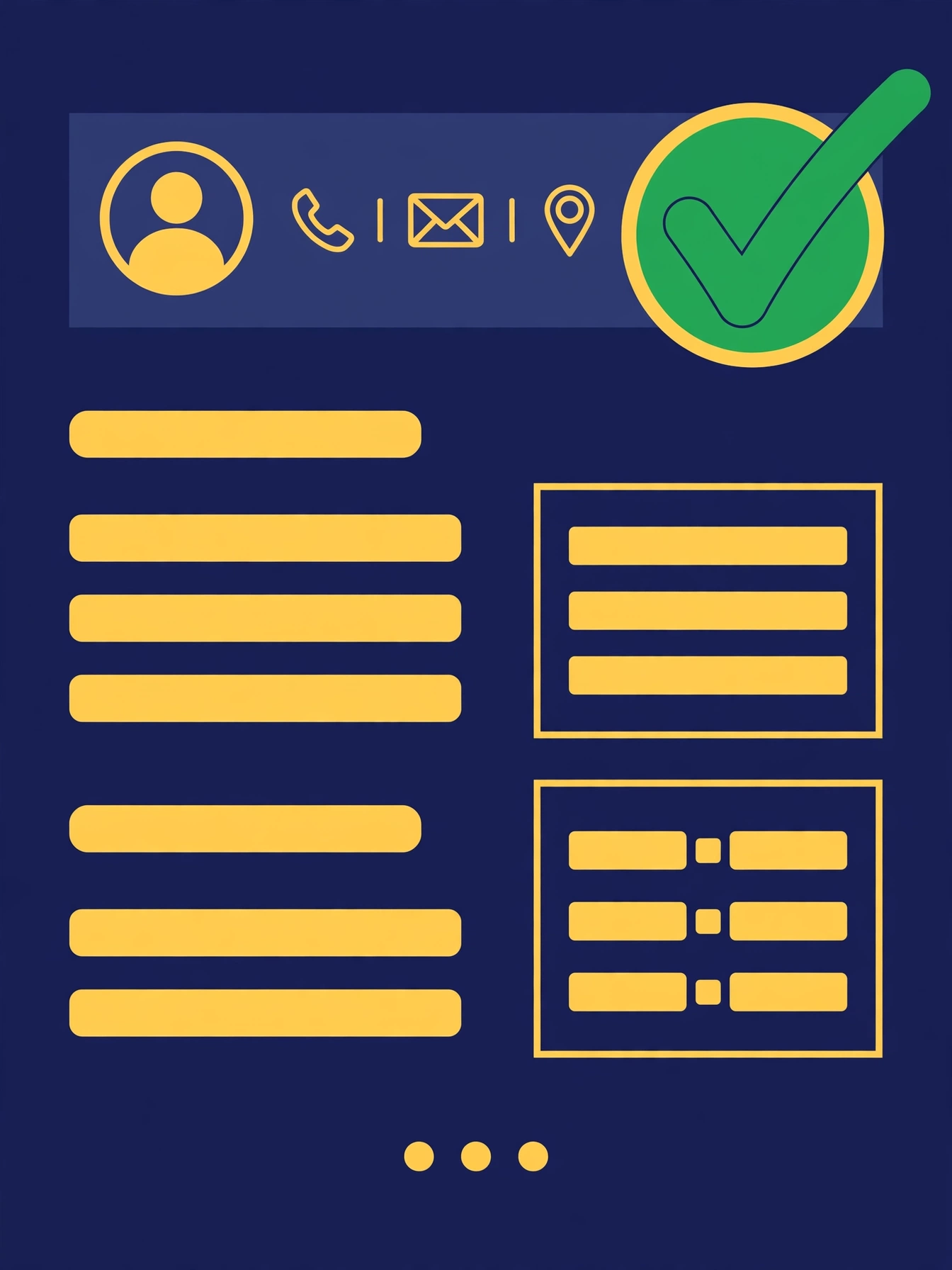
The difference between a link that helps and a link that hurts is usually visible in the header alone.
A recent graduate's header often reads: name, phone, email, and nothing else. The fix is one line: "LinkedIn: linkedin.com/in/firstname-lastname", added only after the profile has a photo, a headline naming the target role, and at least one internship or project section filled in. For a graduate, the profile's job is to show initiative the resume has no room for: coursework projects, volunteer work, and a short About section that says what kind of role they want.
A mid-career professional's header usually already has the link, but with the default random-string URL. The fix is the custom URL and the date match. Swap "linkedin.com/in/john-smith-7x92k41" for "linkedin.com/in/johnsmith" or the closest clean version, then line up every title and date with the resume. This is the candidate the link helps most, because their profile carries recommendations and project links the resume cannot fit.
A career changer's header is the tricky one. The resume has been rewritten for the new field, but the LinkedIn still headlines the old one. The fix is not to hide the link. It is to rewrite the LinkedIn headline and About section for the target field first, keep the honest work history underneath, and then link it. A profile that says "Operations Manager moving into data analysis, with three years of reporting experience" is a bridge. A profile that still says only "Operations Manager" while the resume says "Data Analyst" is a contradiction. Fix the bridge, then link it.
The ten-minute fix checklist
If you take one thing from this guide, take this list. Do it once, and the link earns its place.
- Claim a custom URL with your name, and update every old copy of the link.
- Add a current, professional photo, and check it in a logged-out window.
- Rewrite the headline to name your target role plus one proof point.
- Match every title, company, and date to your resume exactly.
- Write a three-line About section aimed at the roles you want next.
- Turn on public visibility for the sections a recruiter should see.
- Open the profile in a private window and click the link from your own resume file.
- Run your resume through ZenWrit's free ATS checker to confirm the URL survives as plain text in the parsed version.
That last step matters more than people think. A resume that looks perfect in Word can lose its links on import if they sit in a header or behind an icon. The paste test is simple: copy the text of your finished resume into a plain text file and check that the LinkedIn address is still there, on its own line, spelled out in full. If it survives the paste test, it will survive the hiring system. If it does not, move it into the body contact block and test again. For the full picture on how hiring software reads your file, see what ATS-friendly really means, and for the file-format side of the same question, PDF vs Word.
Frequently asked questions
Should I put my LinkedIn on my resume if I do not have many connections?
Yes, if the profile itself is complete and honest. Connection count is a weak signal compared with a filled-in profile. A small network with a real photo, a clear headline, and matching dates beats a large network attached to a blank page. Do not buy connections or send a hundred random requests the week you apply; recruiters notice sudden, indiscriminate growth, and it adds nothing to your case.
Does LinkedIn replace my resume?
No. Recruiters use the two documents differently. The resume is the tailored argument for one specific job, and the profile is the general record behind it. Never send a recruiter to your profile instead of a resume, and never assume a strong profile excuses a weak resume. The link connects the two; it does not merge them.
Should I include LinkedIn if I am currently employed and not openly job hunting?
Only if you are comfortable being seen as open to opportunities. The link itself does not announce a search, but a freshly polished profile can signal one to colleagues who notice. If discretion is essential, polish quietly, keep the Open to Work badge off, and add the link when you are ready to be visible.
What if my LinkedIn URL has numbers in it because my name was taken?
Use the cleanest available version: a middle initial, your profession, or your city. "linkedin.com/in/sarah-chen-design" is perfectly professional. What hurts is the default random string, not a deliberate variation. Just make sure the version on your resume matches the live profile exactly.
Should I put LinkedIn on a resume for a job I found on LinkedIn?
It does no harm, but it adds little, since the recruiter already has your profile. Keep it on the resume anyway if it is part of your standard header, because the resume may be forwarded to a hiring manager who never saw the LinkedIn thread. Consistency across forwards is worth one line.
Can a LinkedIn link hurt my chances?
Yes, in exactly the ways this guide describes: an unfinished profile, dates that contradict the resume, a locked-down profile that shows nothing, or a personal feed linked by mistake. The link itself has never hurt anyone. The destination has hurt plenty of people. Fix the destination, and the link becomes one of the easiest wins on the whole resume.
The bottom line
Recruiters will search for you. That part is settled, by the Novoresume 2026 numbers and by every survey before them. The only question your resume answers is whether you hand them the profile you prepared, or leave them to find whatever version of you the search returns first. A ready profile, linked in plain text in your contact block, is a small line that does real work: it proves the resume, it gives the recruiter somewhere to go, and it puts you in control of the first click. Spend ten minutes making the profile worthy of the link, then put the link on the resume and stop worrying about it.
Run your resume through ZenWrit's free ATS checker before you send it, and make sure the LinkedIn line survives the paste test. That is the whole trick: a link that works, pointing at a profile that helps.
Was this article helpful?
Be the first to rate this article
Get weekly resume tips
Practical ATS and job search advice every week. No fluff, unsubscribe anytime.
Keep reading


Is your resume ATS-ready?
Run a free compatibility check — no account, no limits, nothing stored.
Check my resume